This article explains how to configure report visibility for clusters in ThriveSparrow. These settings control whether group heads (such as Directors) can access survey reports for their group members in the Engage module.
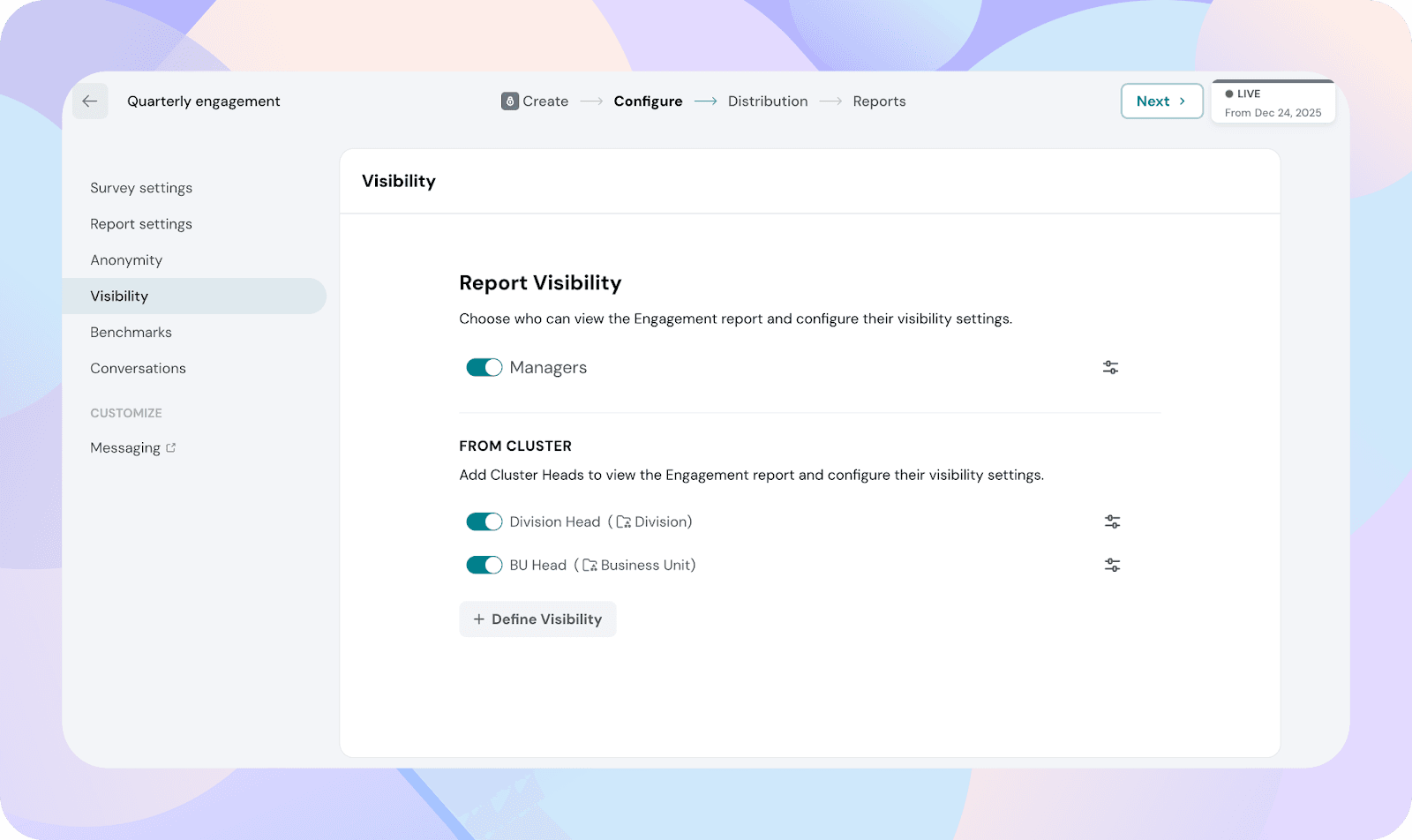
Go to Engage → Any Survey → Configuration → Visibility → Reports Visibility
All cluster-based report visibility settings are managed from this section.
Cluster-based report visibility
Cluster-based report visibility allows you to:
Give group heads access to reports for their group members
Control what report components they can view
Control what actions they can perform within reports
These settings apply to all the groups inside the cluster, not per individual group or group head.
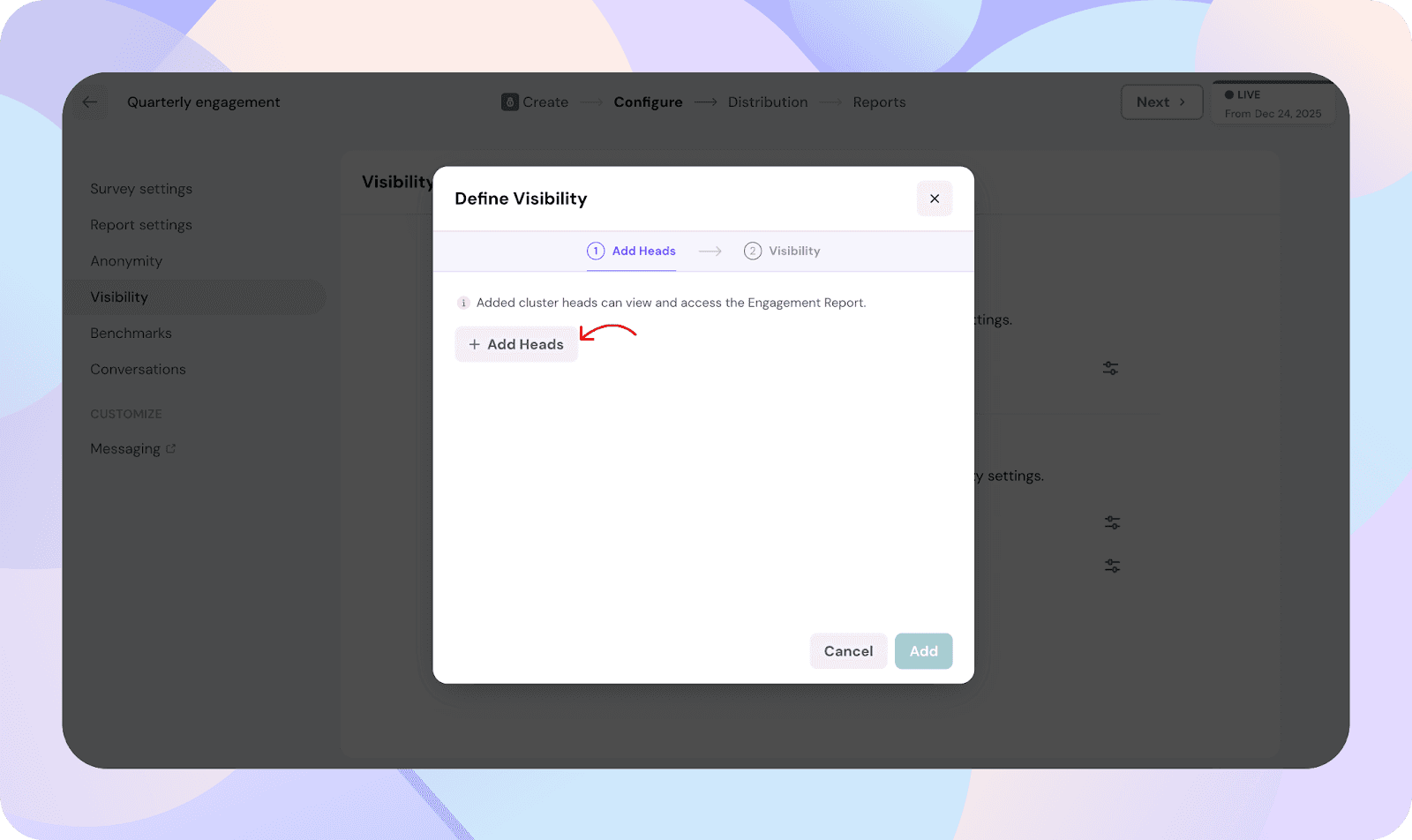
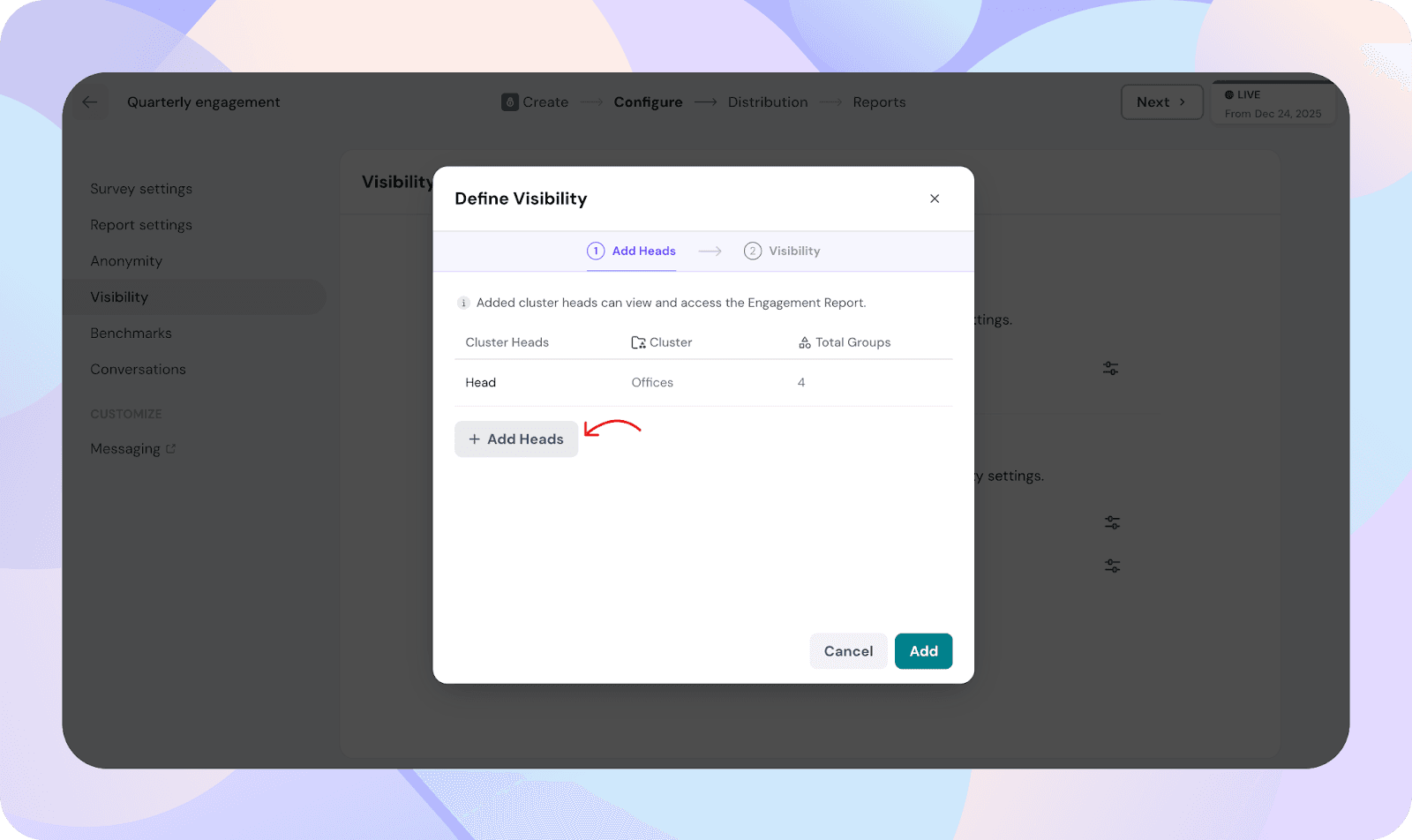
Enabling group reports for cluster heads
Locate the Group Reports section.
Enable reports for the required cluster head roles (for example, Director).
Once enabled, group heads under that cluster will get access to reports for their group members.
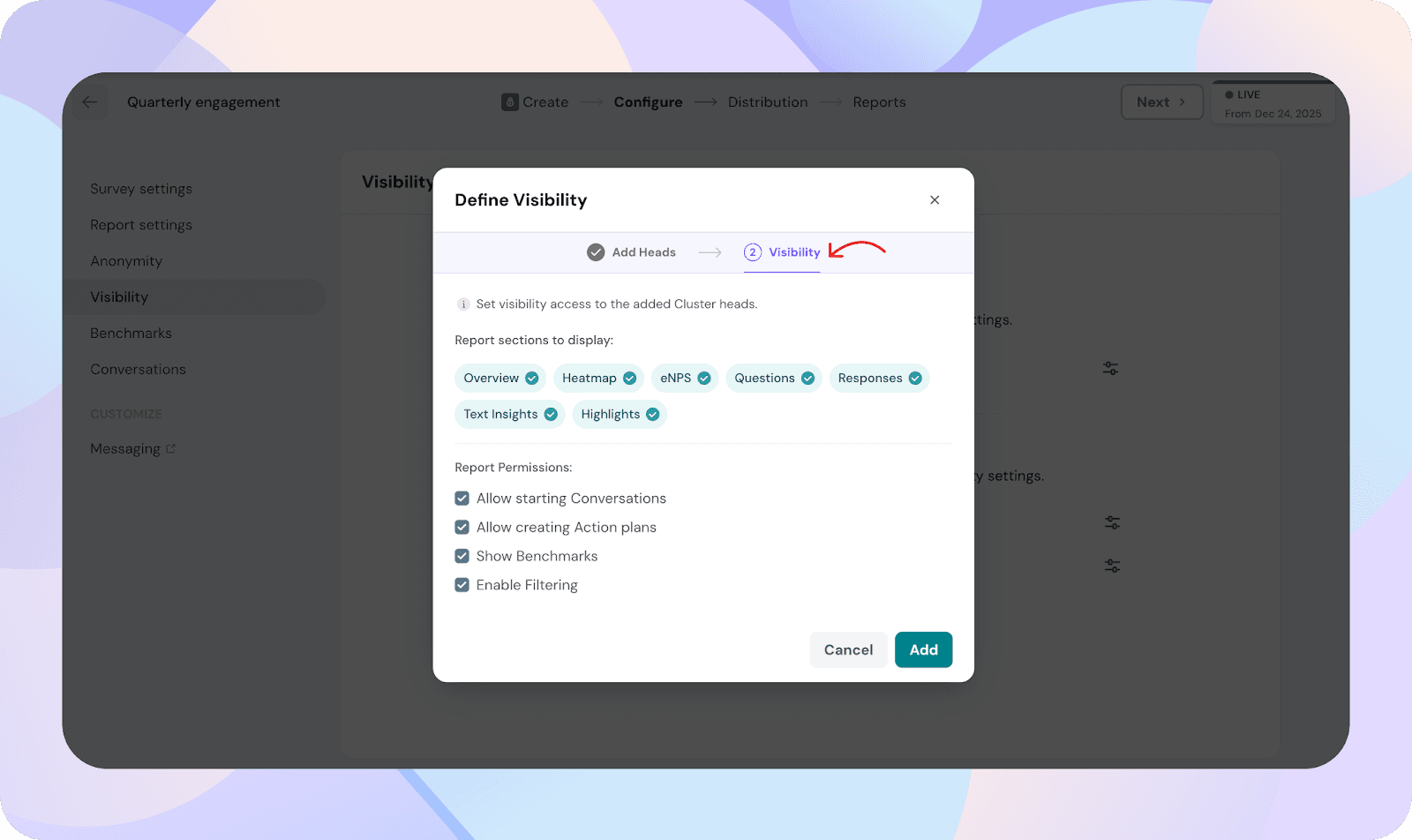
Selecting report components for group reports
For each enabled cluster head role, you can choose which report pages are available.
Available components include:
Overview
eNPS
Questions
Heatmap
Individual Responses
Text Insights
Highlights
Only the selected components will be visible in the group report.
Configuring permissions for group reports
You can control what actions group heads can perform in reports.
Available permissions include:
Allow creating action plans
Allow starting conversations
Enable filtering
Show Benchmarks
These permissions apply to all group heads under the selected cluster.
How group reports appear to group heads
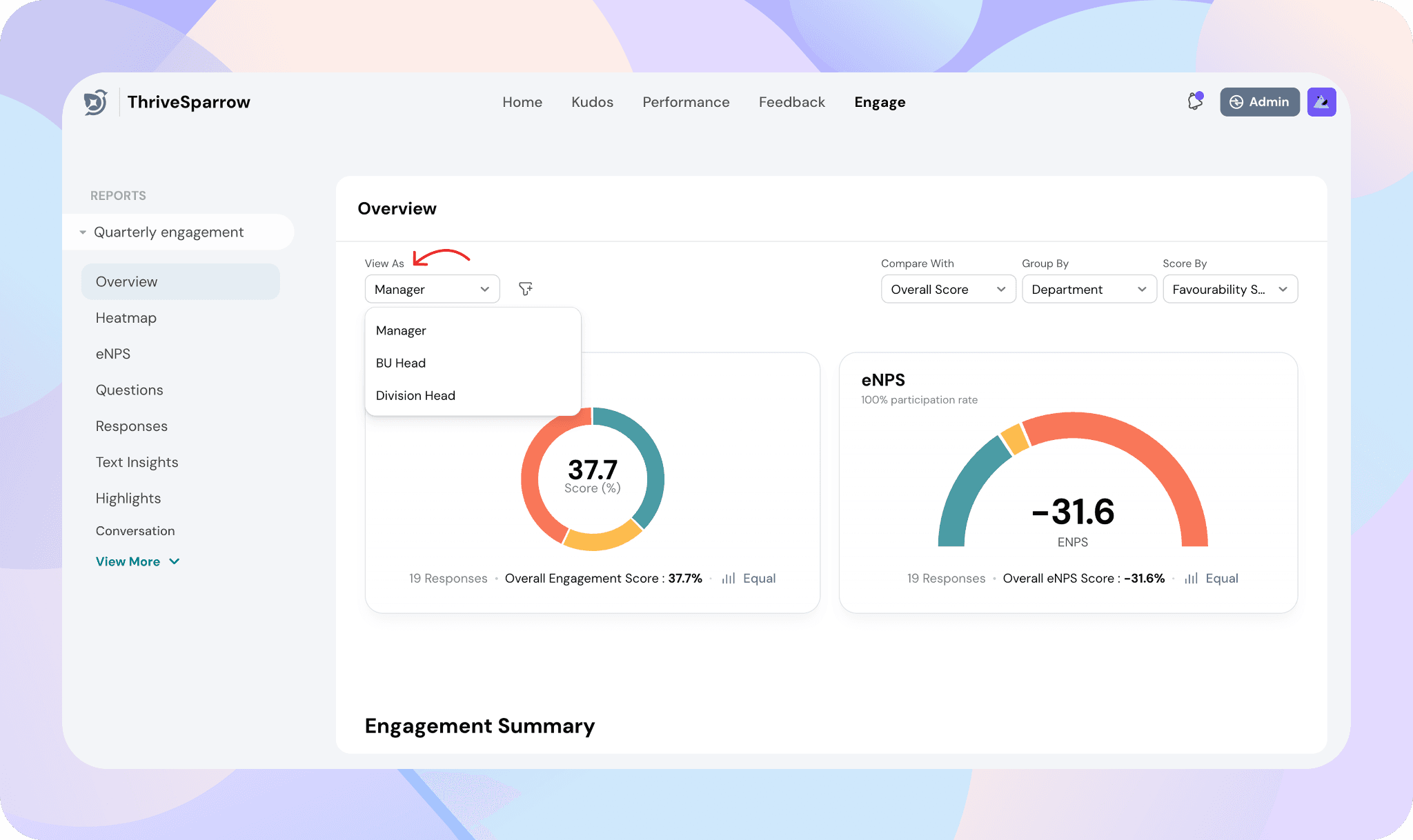
Group heads access their reports from the employee view.
From the Employee view
Select Engage
Open Reports
Use View as to switch between group head views if you manage multiple clusters or teams
The report will only show data for the group members relevant to that group head.
If a group head manages multiple groups within the same cluster
If the same employee is a group head for multiple groups under the same cluster:
All relevant group data will be shown together in the same report view
The group head can use filters to narrow the data to a specific group
Anonymity and data visibility rules
Group reports are only available when the anonymity threshold is met.
Filters and group-by options also respect anonymity thresholds.
If the threshold is not met for a group, its data will not be shown.
Notes
Group reports are available only when enabled in the survey configuration.
Cluster and group-level information for survey respondents must be set before the survey is launched. All group and cluster data is frozen at launch. Any updates made after launch will not be reflected in the survey reports.
Group heads can be added or updated at any time to grant access to existing reports. This does not change the underlying survey data.
Group heads see only the filters and grouping options available in their report data.
Group heads are included in group data only if they are also added as members of the group.