
Introduction to Employee Levels
A Level is an employee property in ThriveSparrow that indicates where an employee sits within your organization's hierarchy.
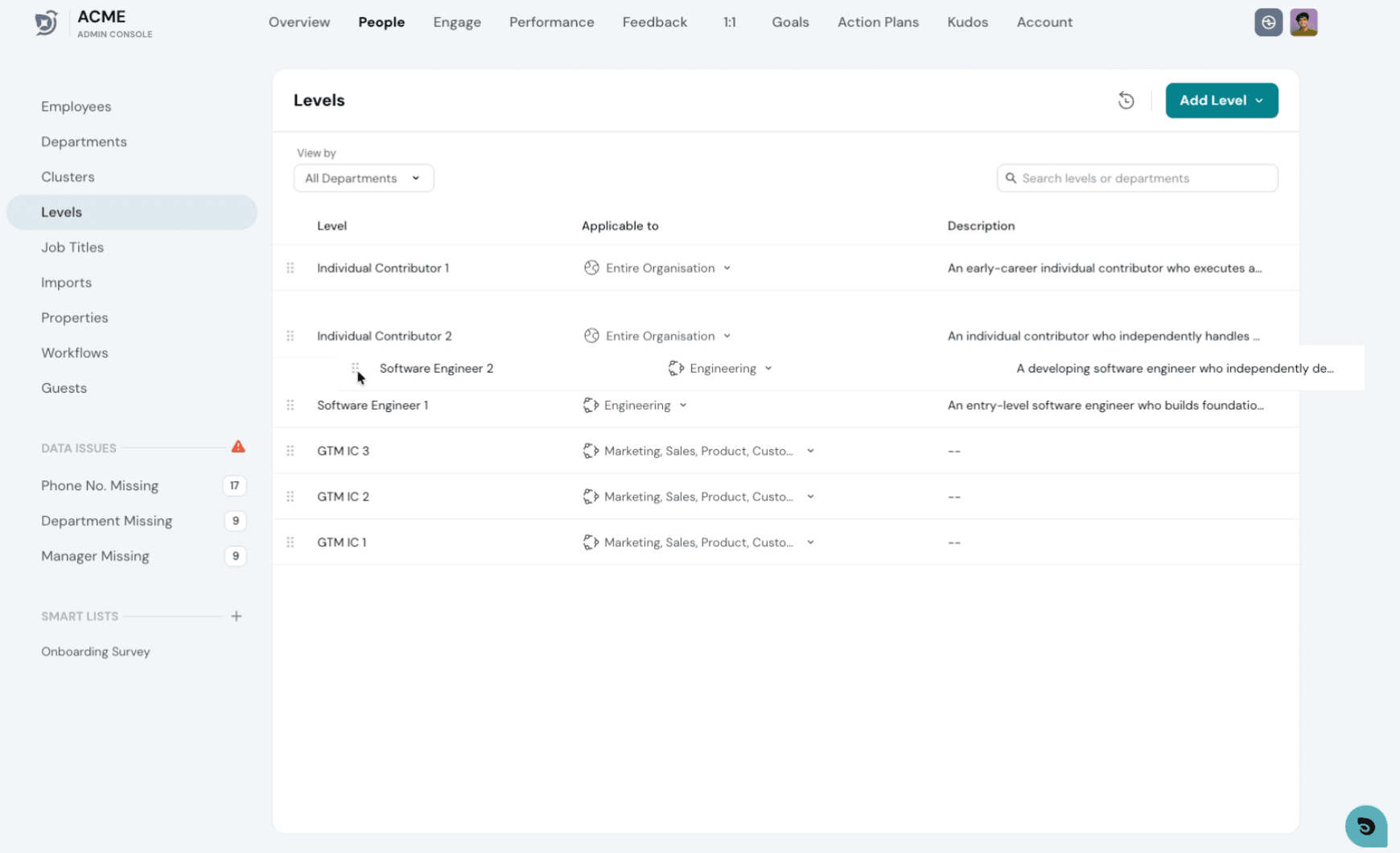
Levels are arranged in a predefined order that establishes the organizational hierarchy. The lowest level appears at the top, while the highest level appears at the bottom.
Understanding Levels in Thrivesparrow
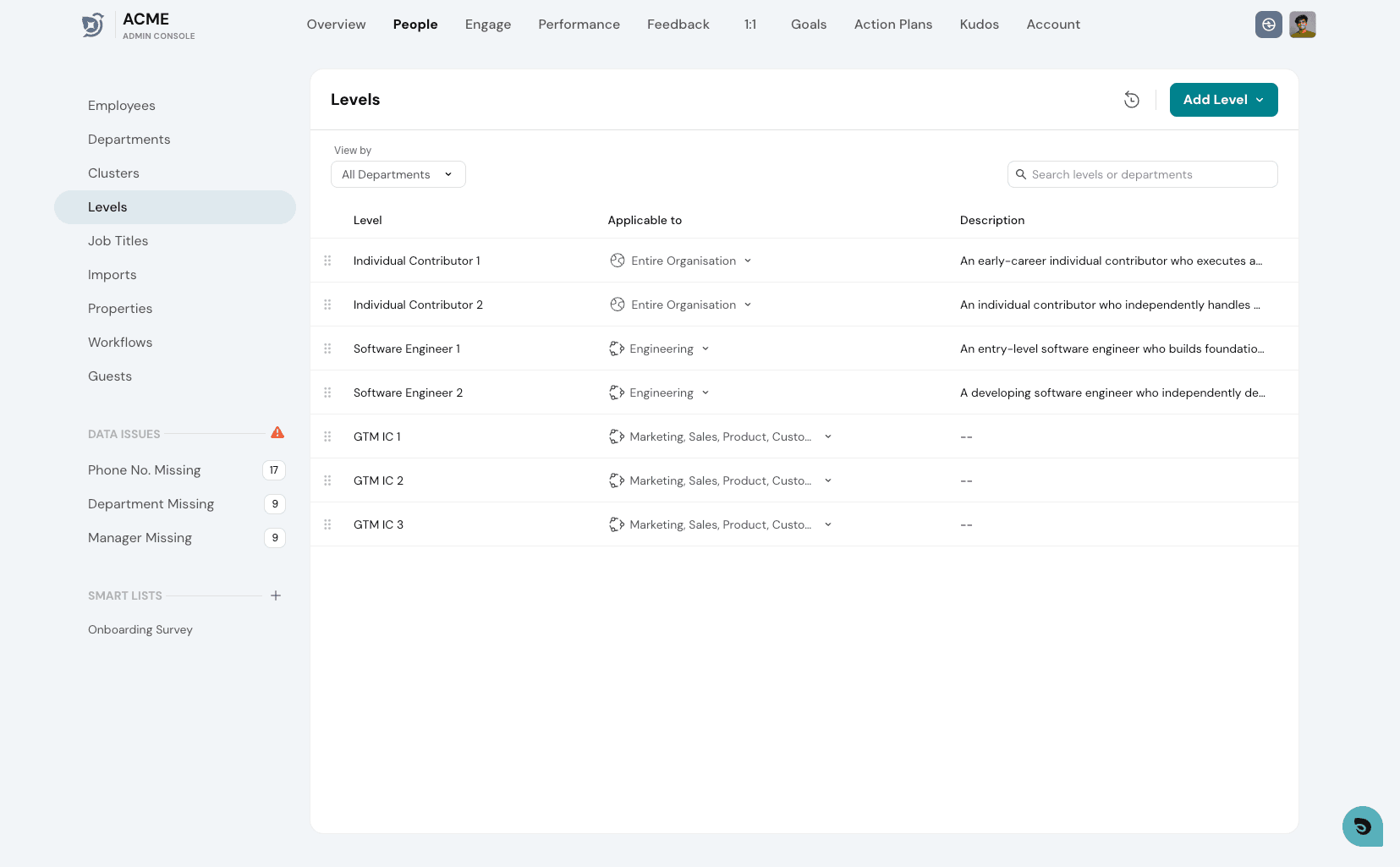
Level for an engineer would be
- Individual Contributor 1 -> Individual Contributor 2 -> Software Engineer 1 ...etc.
Level for Sales department would be
- Individual Contributor 1 -> Individual Contributor 2 -> GTM IC1 -> GTM IC2 ..etc
Reordering Levels
Linking Employees to Organizational Levels
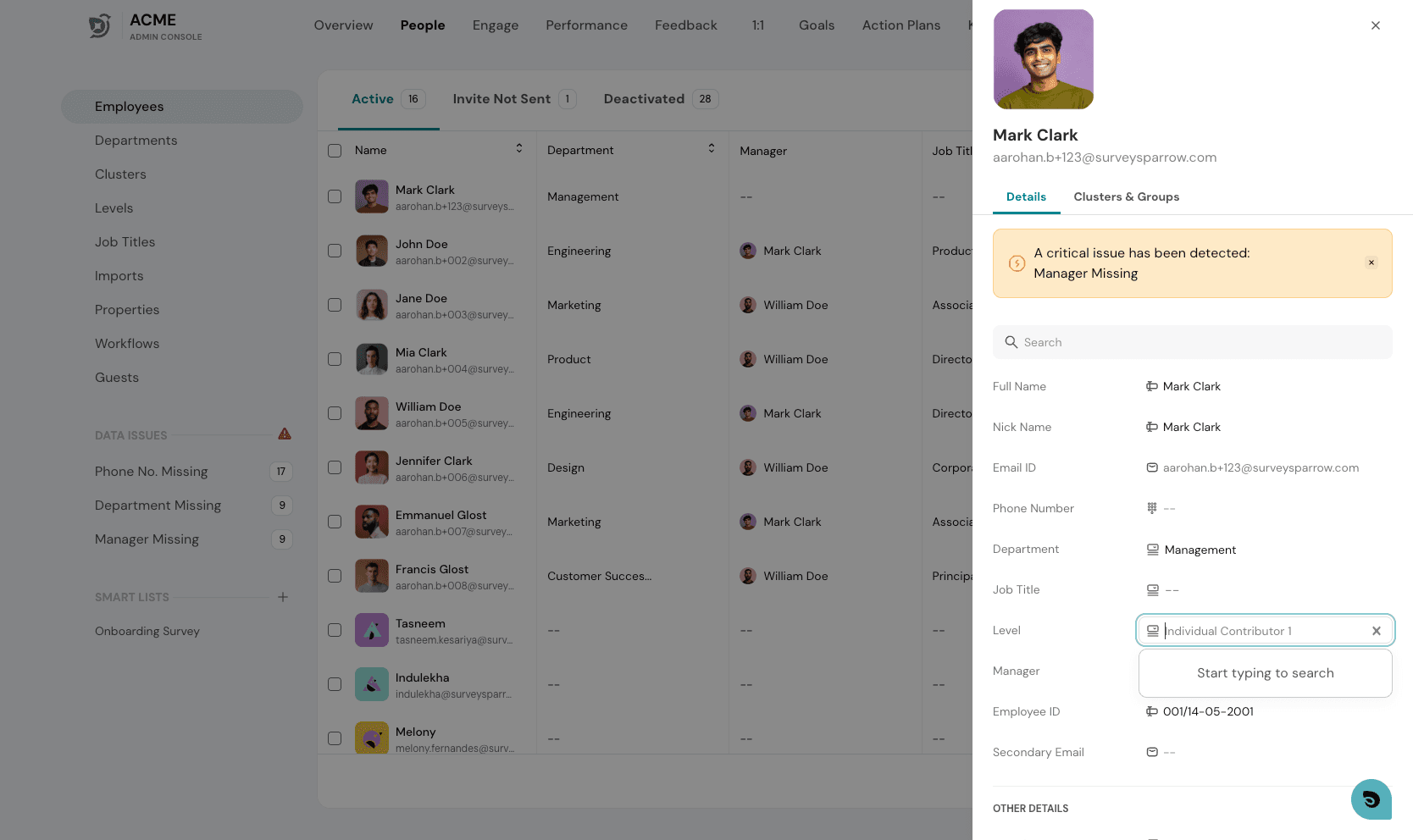
- In the Employee side panel, assign the appropriate Level to each employee using the Level property.
- To update levels for multiple employees at once, use the bulk CSV upload.
Using Levels for Competency Matrix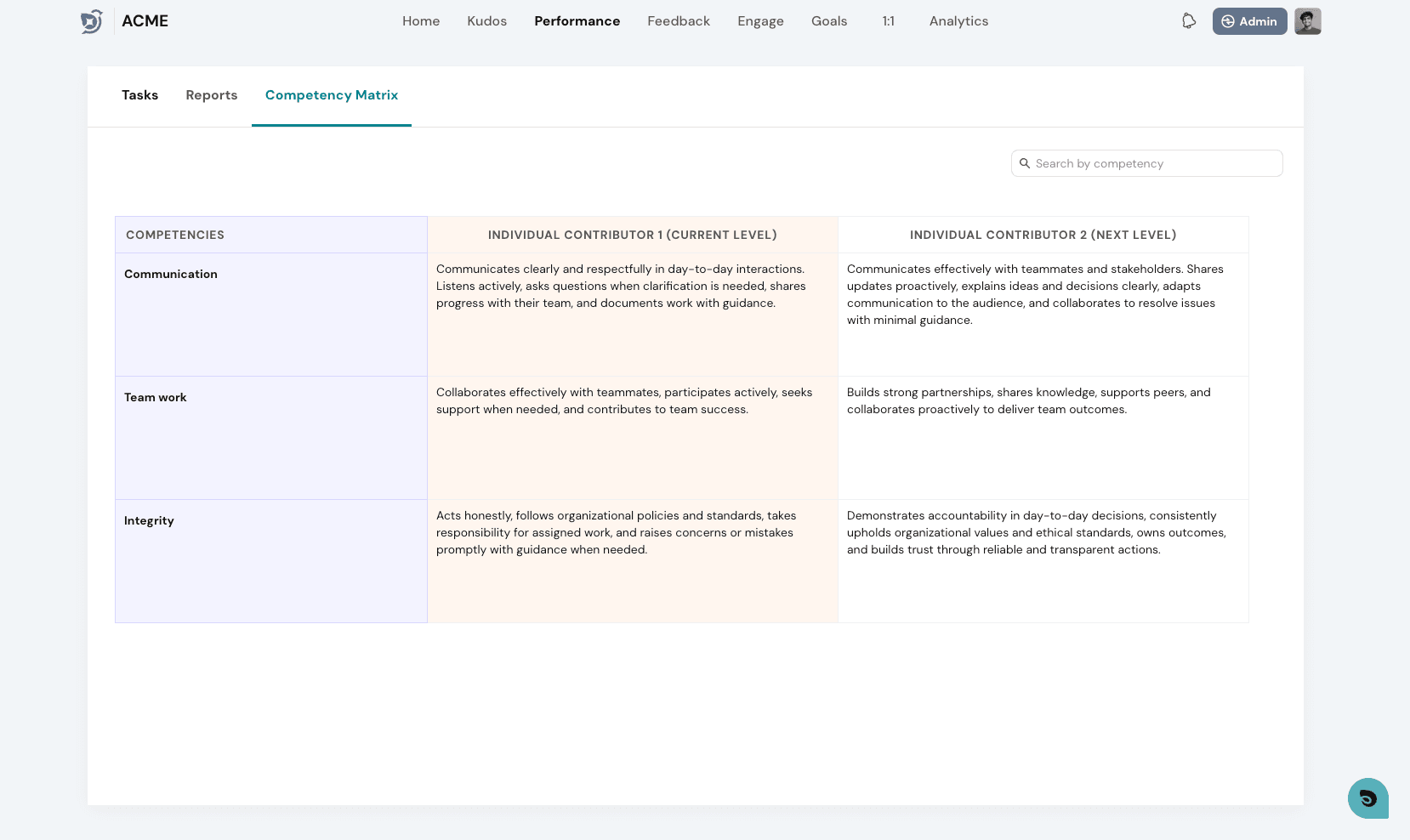
A Competency Matrix defines the expected competencies for employees at each level within your organization.
Once an employee is assigned a Level and competency expectations are configured for that level, those expectations will automatically appear in the employee's view, giving them clear visibility into the skills and behaviors expected at their level.
To get the most out of Levels, see Introduction to Competency Matrix