
How to evaluate a person on goal-based questions
When you’re reviewing someone, you may see a Goal-based question. This lets you assess how the person performed on their actual goals.
What you’ll see
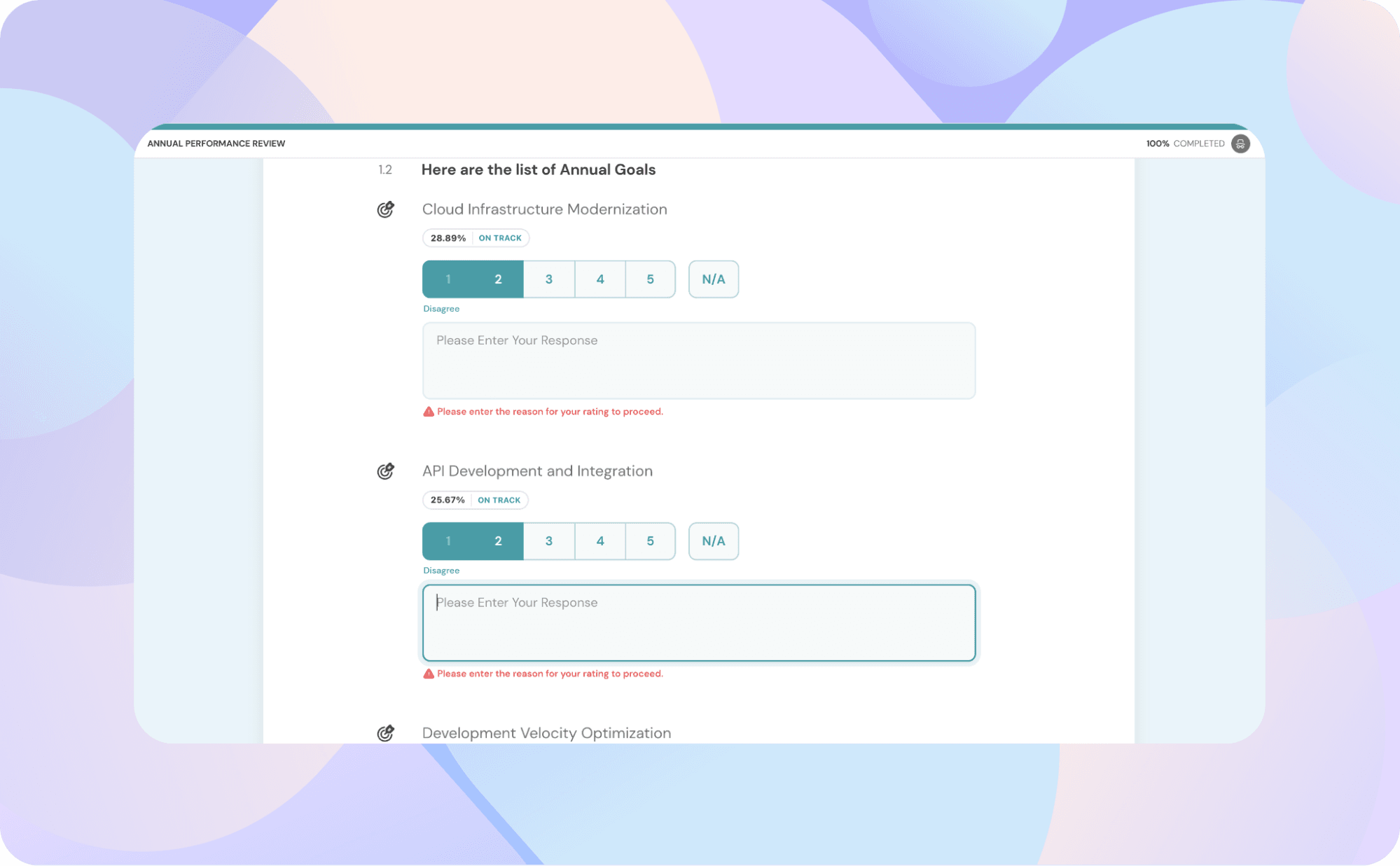
The question will expand to show several sub-questions, each one representing a goal.
For each goal, you can:
- Rate their performance (based on the scale your admin set)
- Add written feedback to explain your rating or give context
Goal visibility
- You’ll only see goals you already have permission to view.
- Private goals are never shown.
Submitting your feedback
Once you’ve rated all visible goals and added your comments, click Submit.
Your inputs are saved and will appear in the person’s performance report under Goal summary and detailed feedback sections.
Note
- If no goals match the filters, you’ll see: “No goals available for evaluation.”
- Goal progress is locked in at the time of review launch, so later updates won’t affect your responses.