
How to Rename Terms in the Goals Module

Admins can customize the terminology used in the Goals module to match your company’s preferred framework.
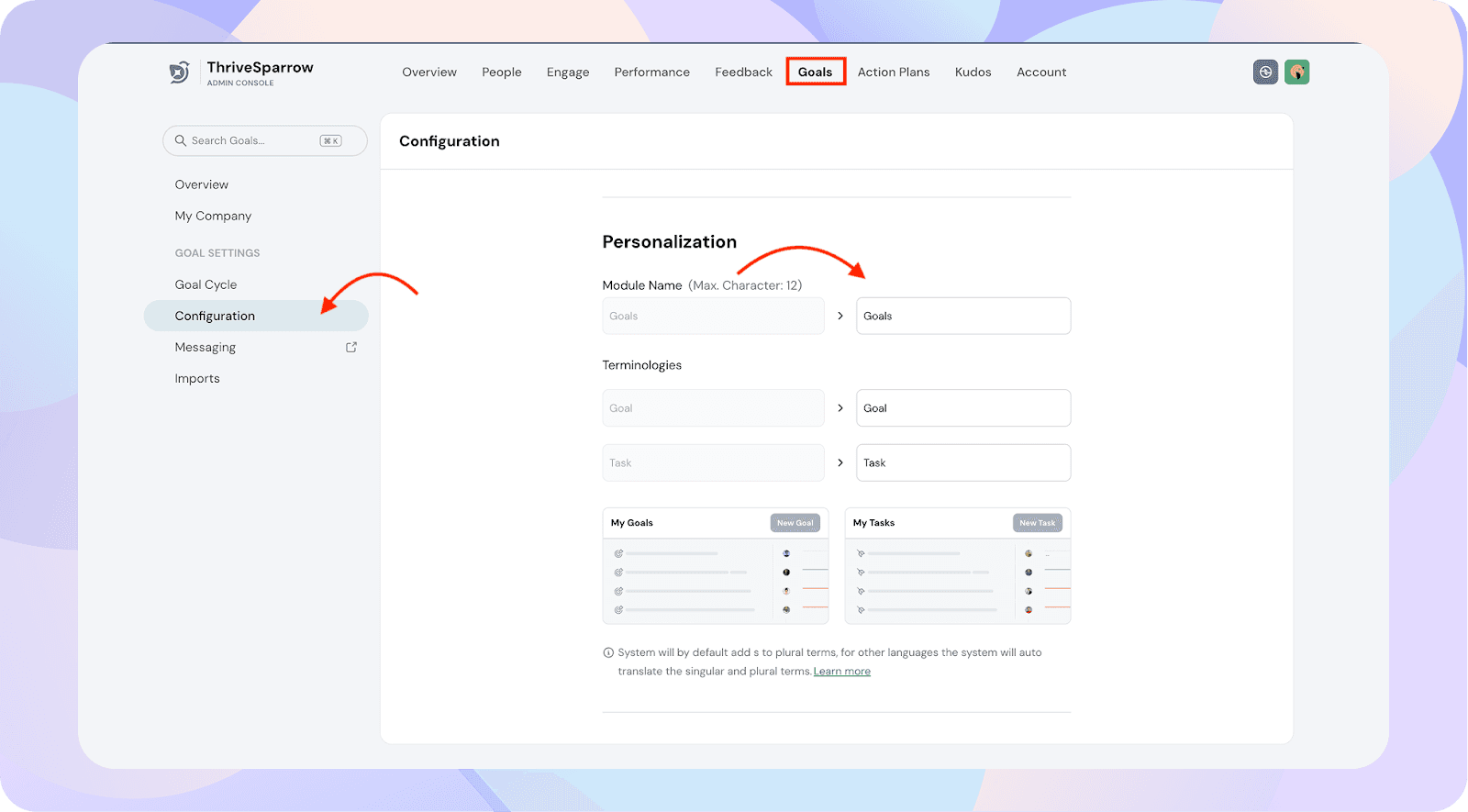
For example:
- Rename the module Goals → OKRs
- Rename Goal → Objective
- Rename Task → Key Result
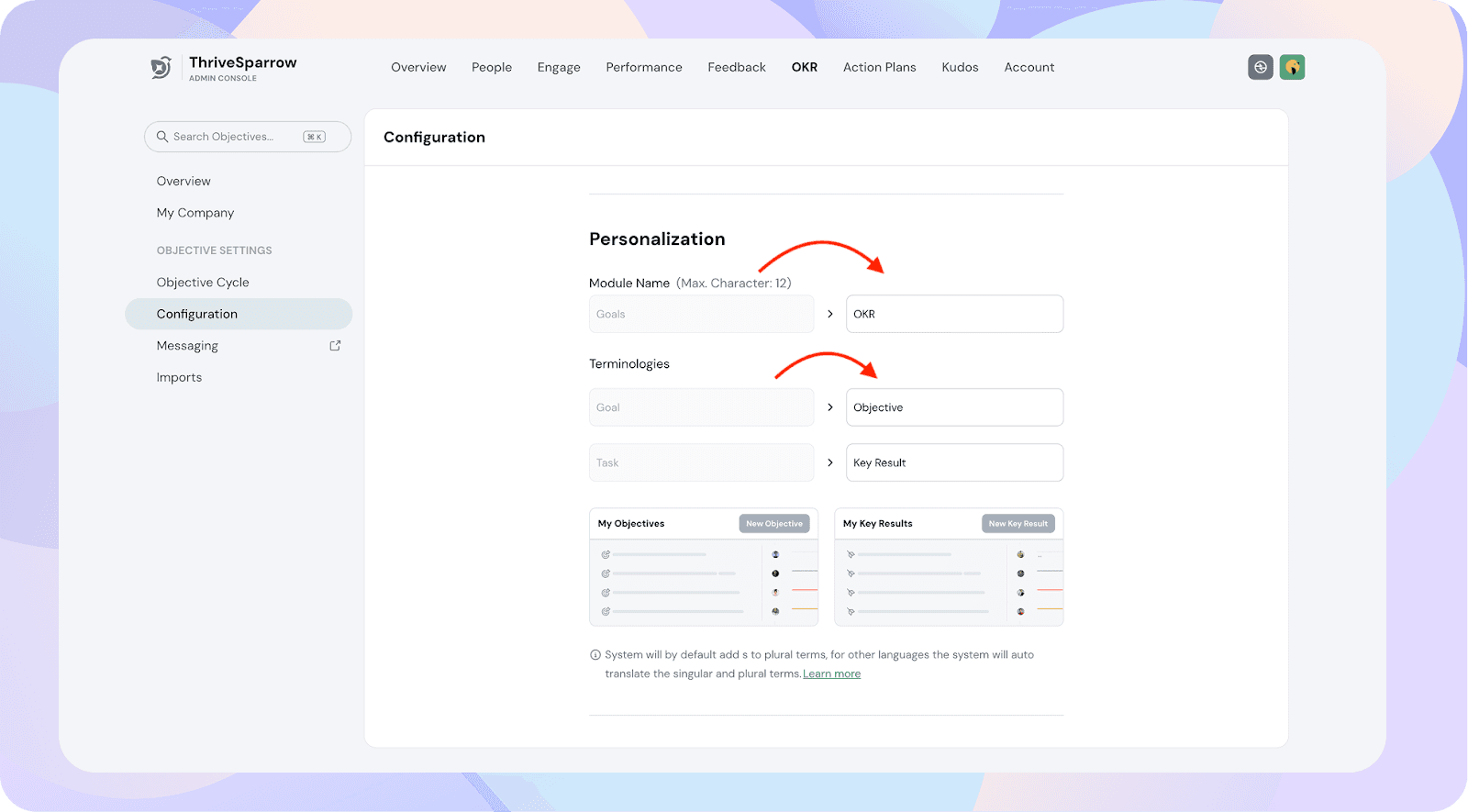
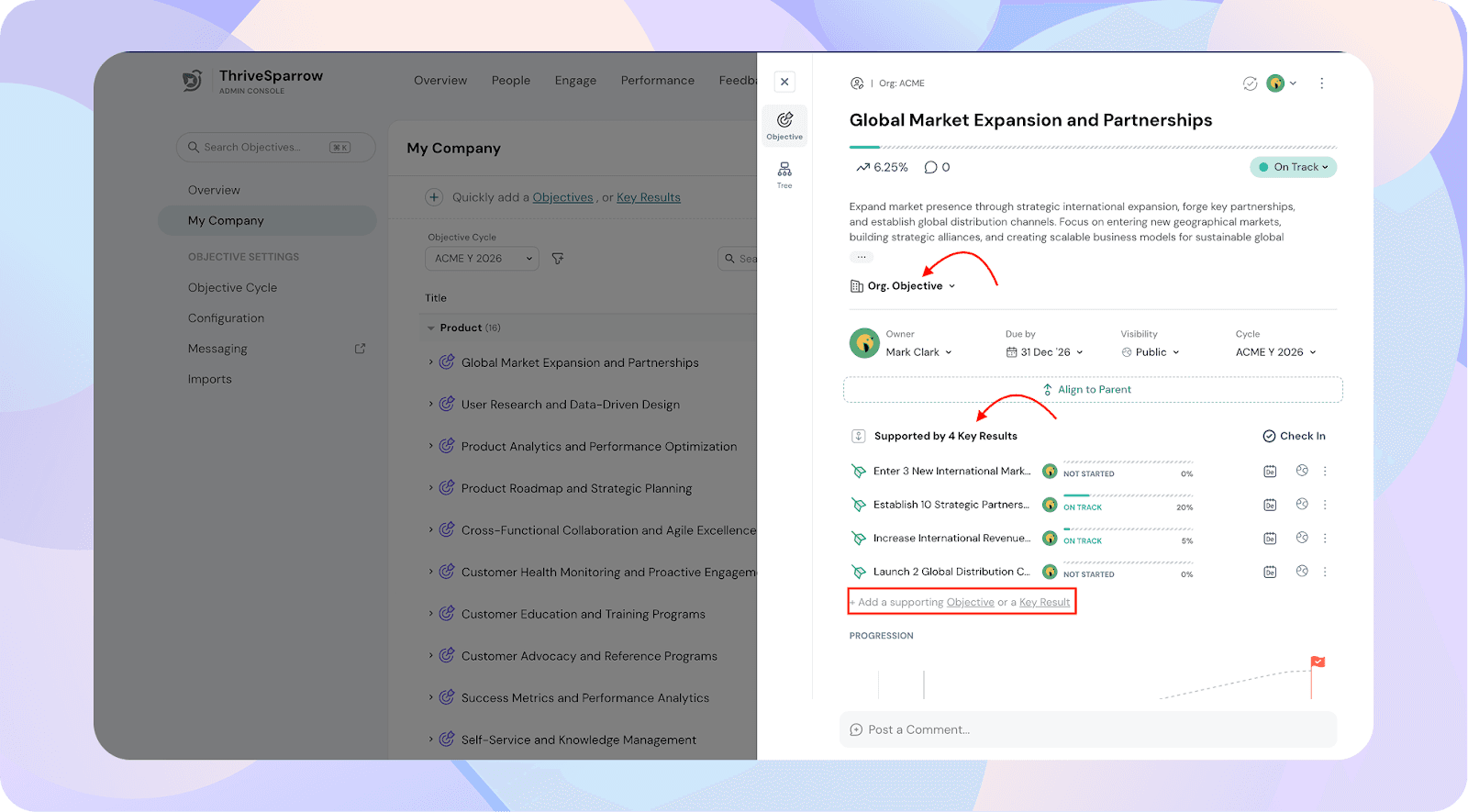
Once updated, the new terms will automatically reflect everywhere across the product.
Important Note
- In the case of email templates, if you’ve previously edited them, you’ll need to manually add the updated variables for the new terms to apply.
- Product roles and terms cannot be changed (e.g., Survey Admin, Goal Admin will remain as is). Only the framework terminology (Goals, Tasks, etc.) can be customized.