How to restrict Goal Creation for Different Roles

Steps to restrict Goal Creation for Different Roles
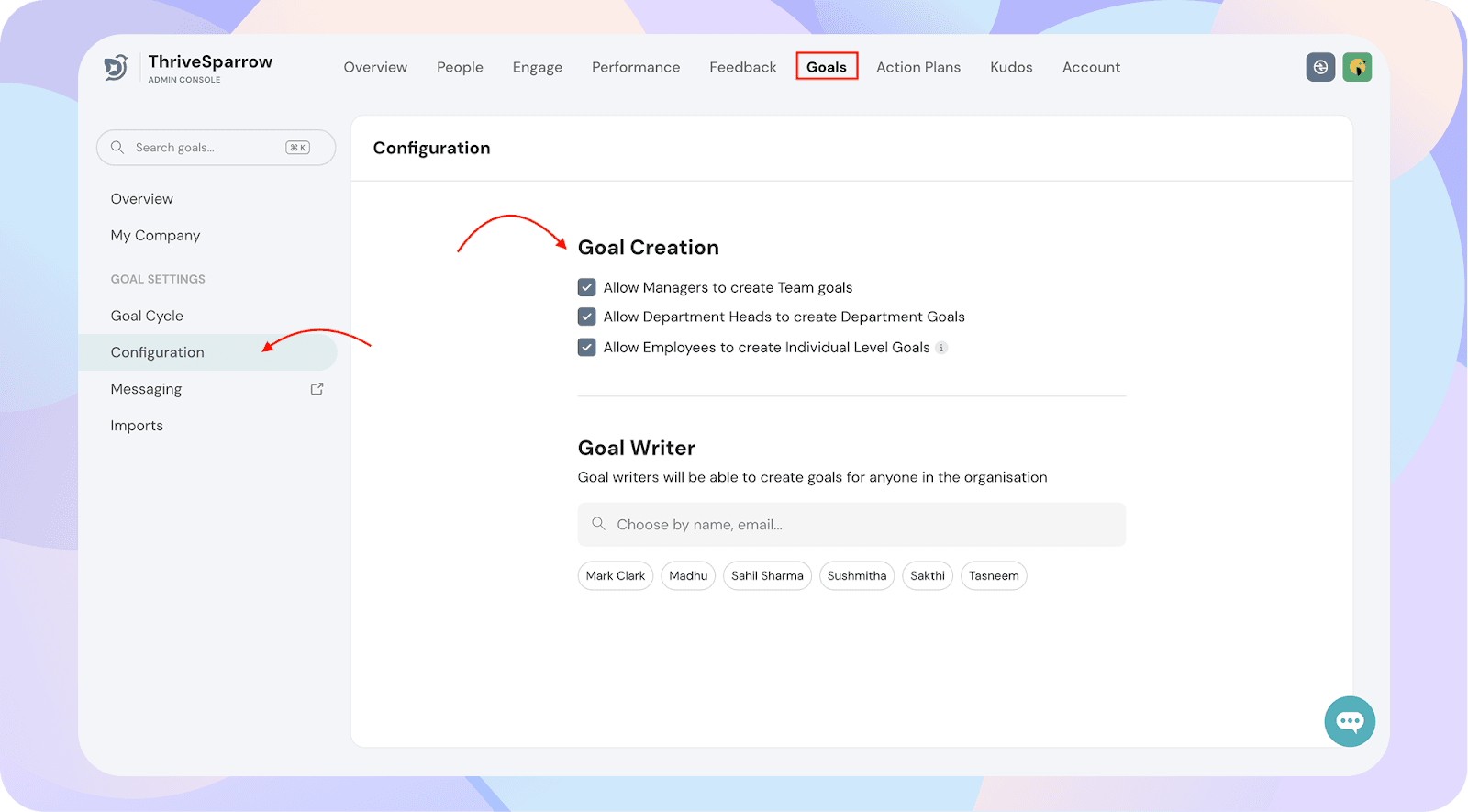
- Navigate to Goals → Configuration.
- Under Goal Creation Settings, review the options to enable or disable who can create goals:
- Allow Managers to create Team Goals
- Allow Department Heads to create Department Goals
- Allow Employees to create Individual Goals