How to Manually Create a Goal Cycle

If you prefer a custom timeline for your goals, you can manually create a goal cycle to match your specific planning needs.
- Navigate to the Goals > Goal cycle module.
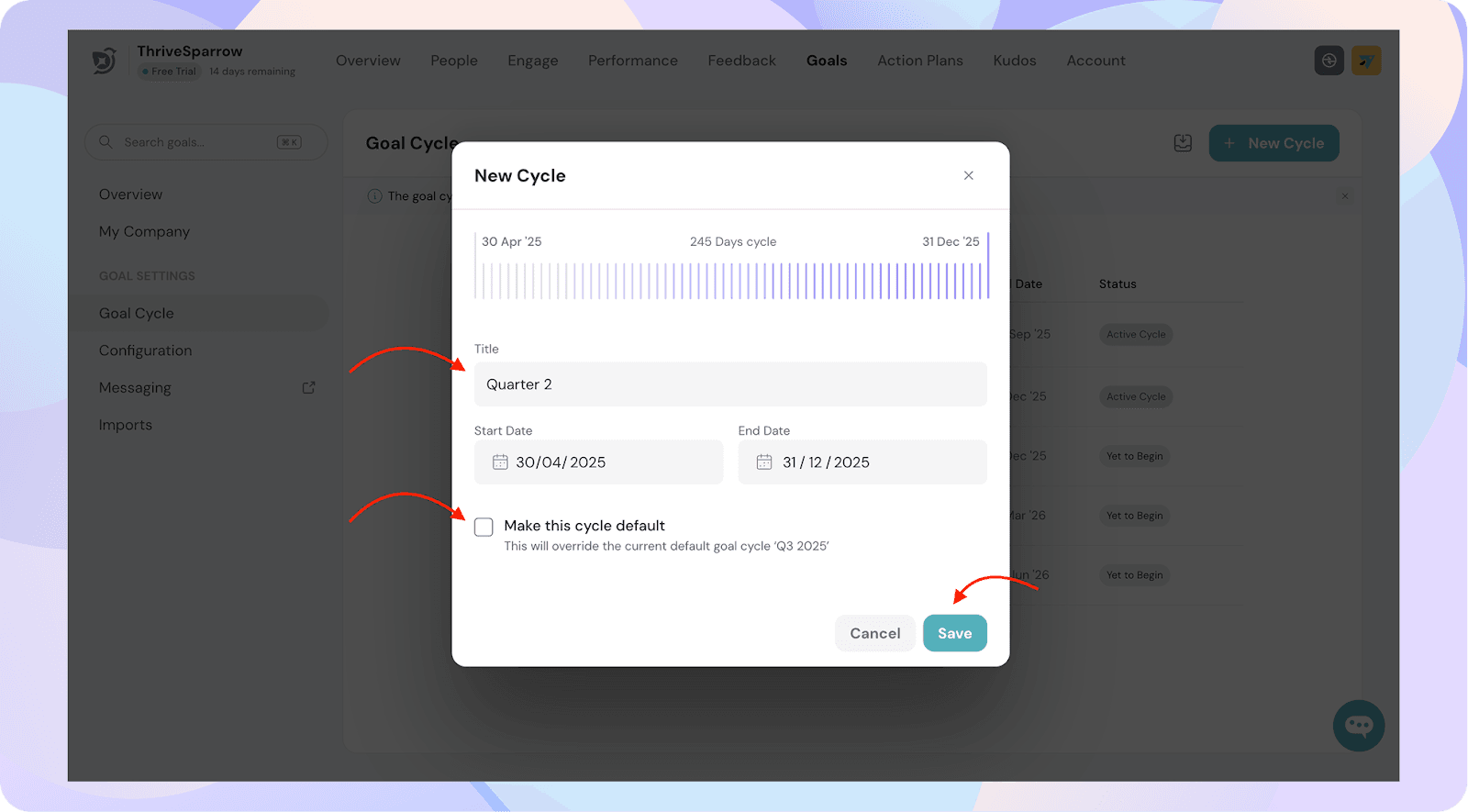
- Click on New Cycle.
- In the modal, enter the following:
- A name for your goal cycle
- The start date and end date
- Select the checkbox to make it your default cycle.
Note: All new goals will be saved under this cycle by default.
- Once you're done, click Save.
Your custom goal cycle will now be available under your cycle list.