
How to Bulk Delete Goals

Steps to Bulk delete goals
- Navigate to Goals.
- Go to My Goals, or other views such as:
- My Team
- My Department
- My Company
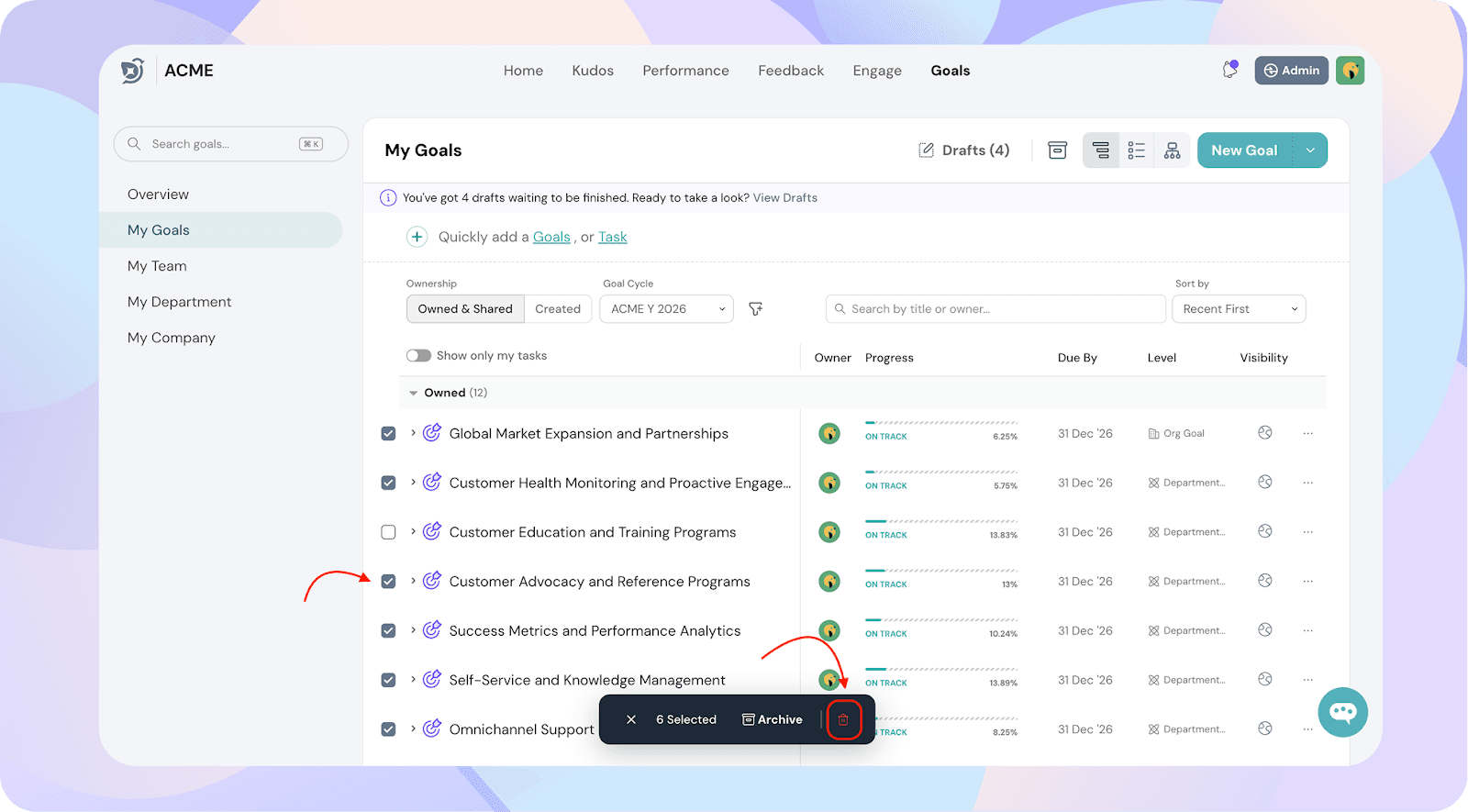
- Select the checkboxes next to the goals you want to delete.
- Click the Delete button at the top.
The selected goals will be permanently deleted from your workspace.
Important Notes
- Deleted goals cannot be recovered.
- Only users with the appropriate permissions can perform bulk deletions.
- Consider archiving goals instead if you may need to reference them later.