
How to Bulk Archive Goals

Archiving helps you clean up completed or outdated goals without deleting them. ThriveSparrow allows you to bulk archive goals across various sections with just a few clicks.
Steps to Bulk Archive Goals
- Navigate to Goals.
- Go to My Goals, or other views such as:
- My Team
- My Department
- My Company
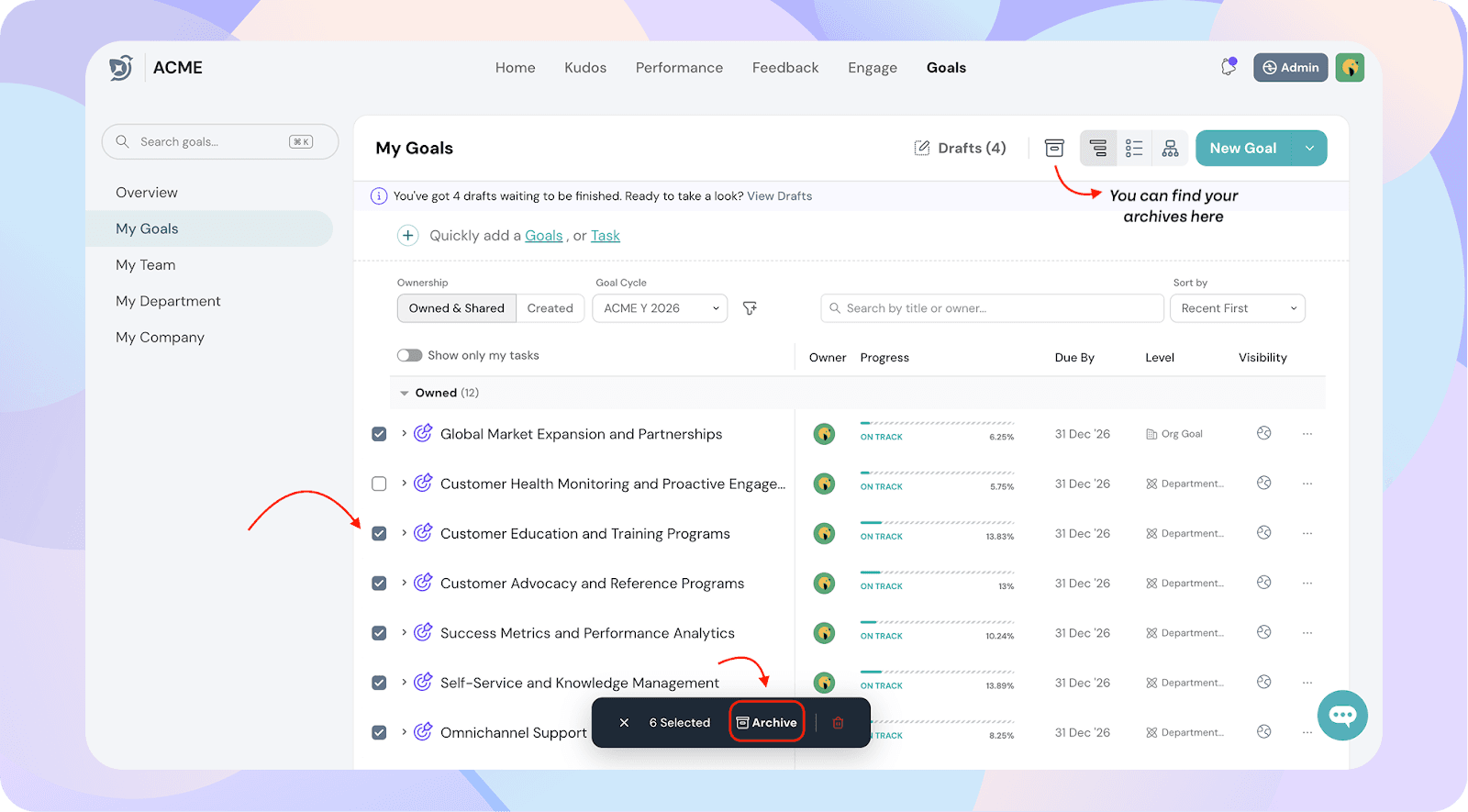
- Select the checkboxes next to the goals you want to archive.
- Once selected, click the Archive button at the top.
Things to keep in mind
- Archived goals can still be accessed through filters or by clicking the Archive icon.
- This action does not delete the goal—it simply moves it out of your main tracking dashboard.
- You can unarchive a goal at any time if needed.