If you're working with multiple goals or managing goals for a large team, bulk uploading via CSV is the fastest way to get started. Here's how to ensure a smooth upload process:
Navigate to Goals → My Goals.
Click on the ➕ New Goal icon.
You’ll see three options:
Goal – Create a new individual goal.
Task – Create a task linked to a goal.
Import CSV – Bulk upload multiple goals using a CSV file.
To bulk upload goals:
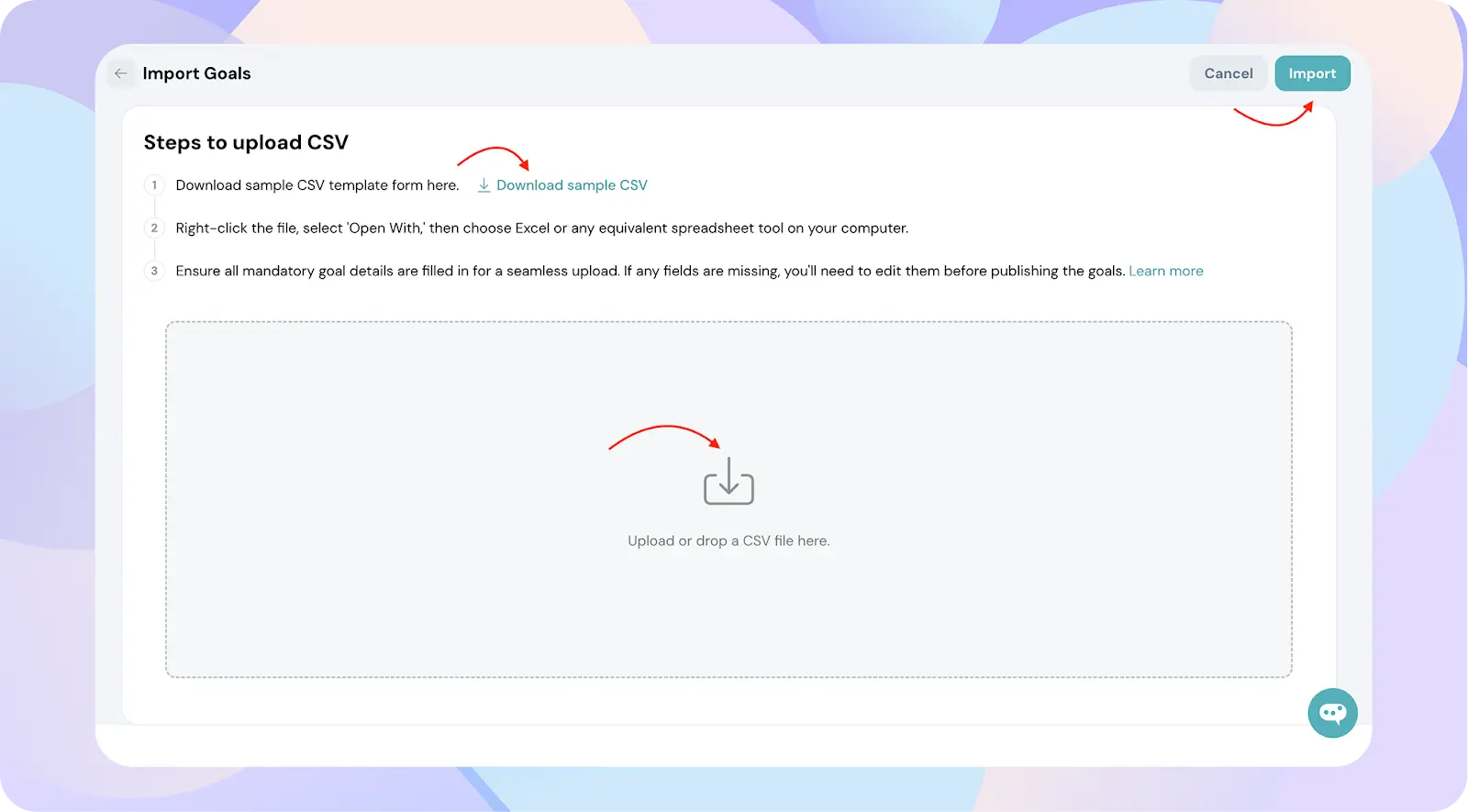
Click Import CSV.
Download the sample template.
Fill in your goals and upload the CSV.
Mapping Fields
After uploading your CSV:
Map all the required fields during the upload process.
Optional fields can be skipped, but all mandatory fields must be mapped correctly.
Once mapping is complete, click Import.
Review and Handle Errors
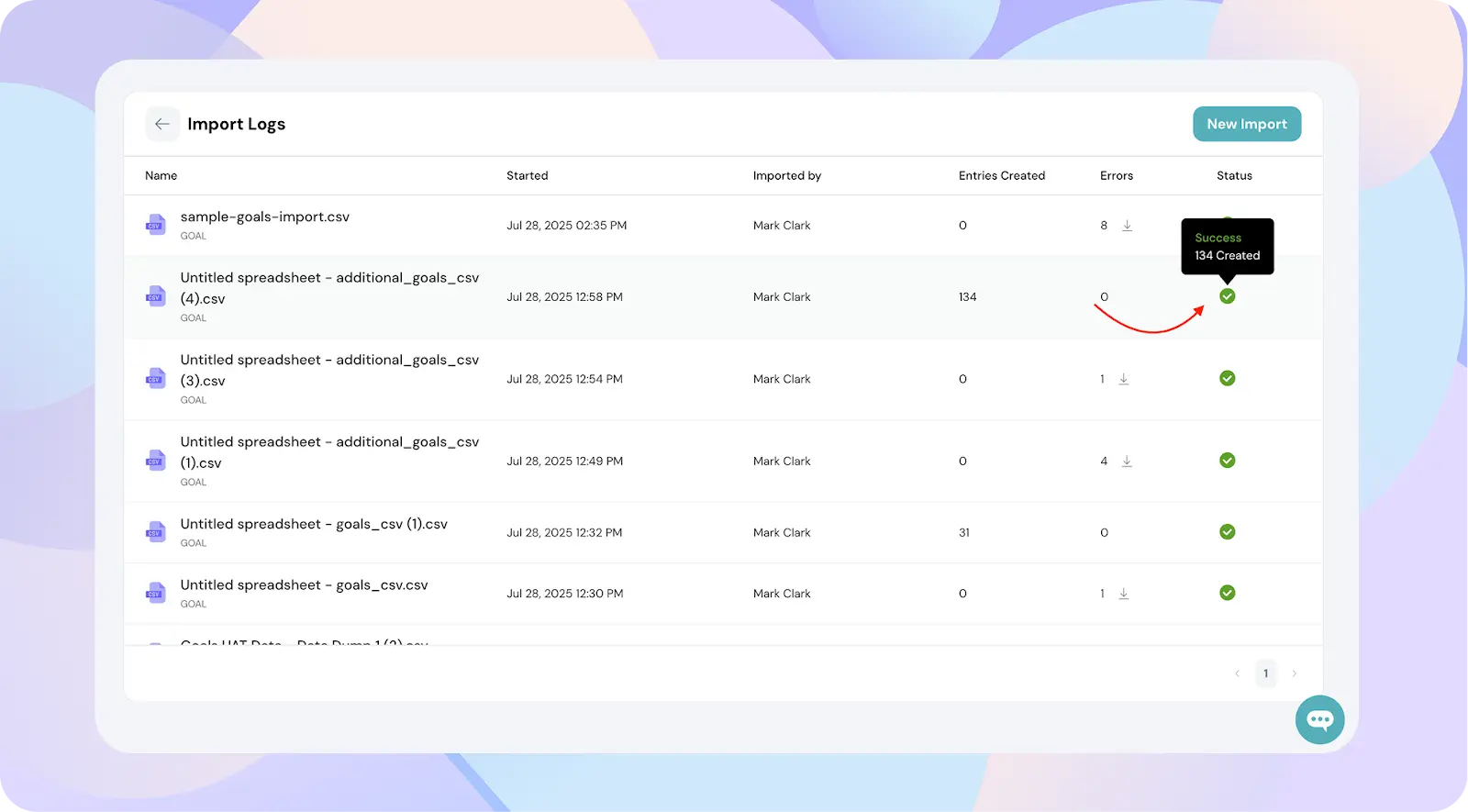
If the upload is successful, you’ll see a green checkmark and a success message next to each goal.
If there are errors:
Click on the errors and the error sheet will be downloaded
ThriveSparrow will show you exactly which row and cell has the issue.
Fix the errors in your original CSV file.
Re-upload the corrected file and complete the mapping again.
This error preview ensures you're not guessing what's wrong—making the process faster and cleaner.