Declining a Feedback Request

If you’re unable to respond to a feedback request, you can choose to decline it. Here’s how:
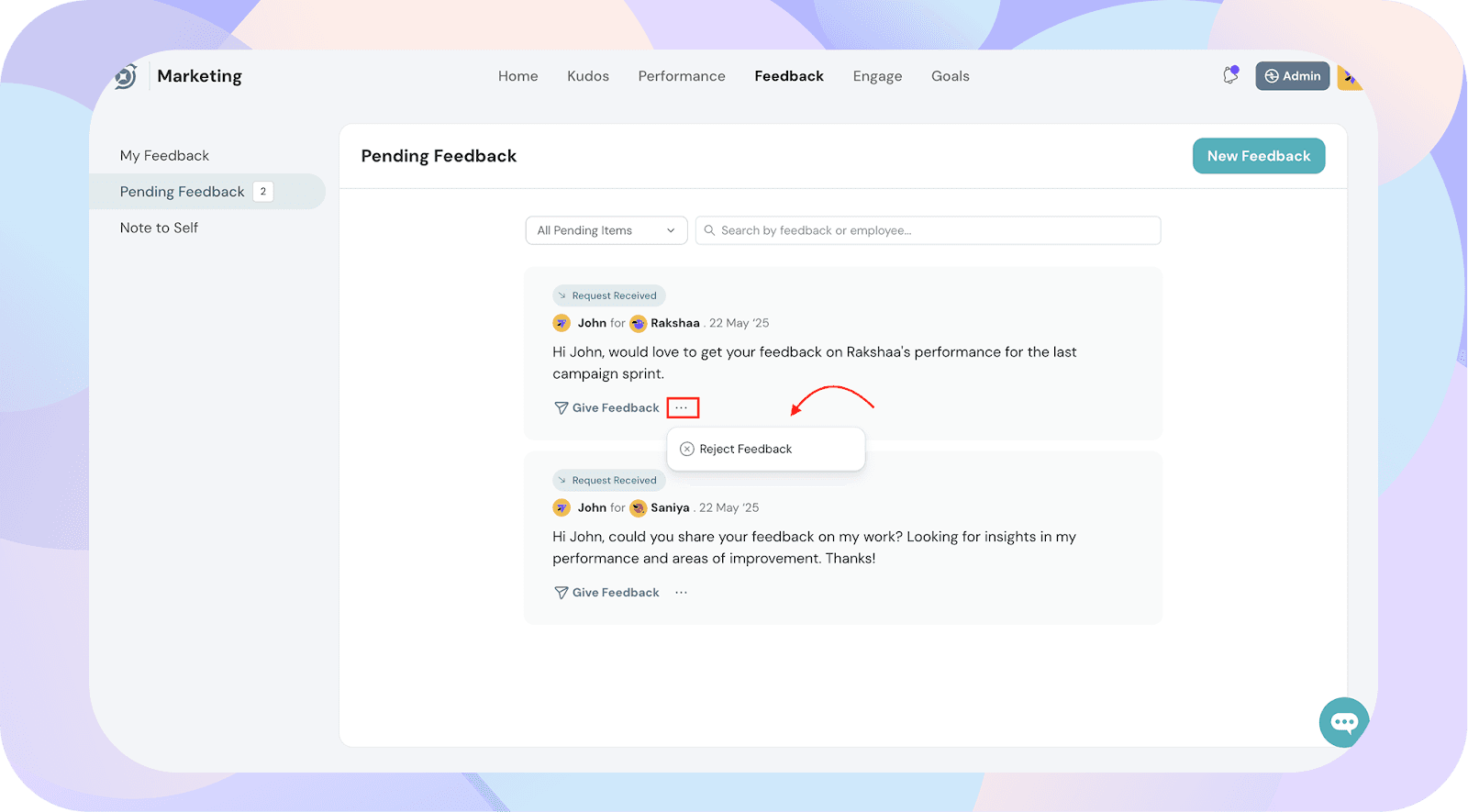
- Navigate to the Pending Feedback section to view all feedback requests awaiting your response.
- Locate the request you'd like to decline.
- Click on the three-dot menu next to the request.
- Select Reject Feedback.
Once you click Reject Feedback, a pop-up will appear:
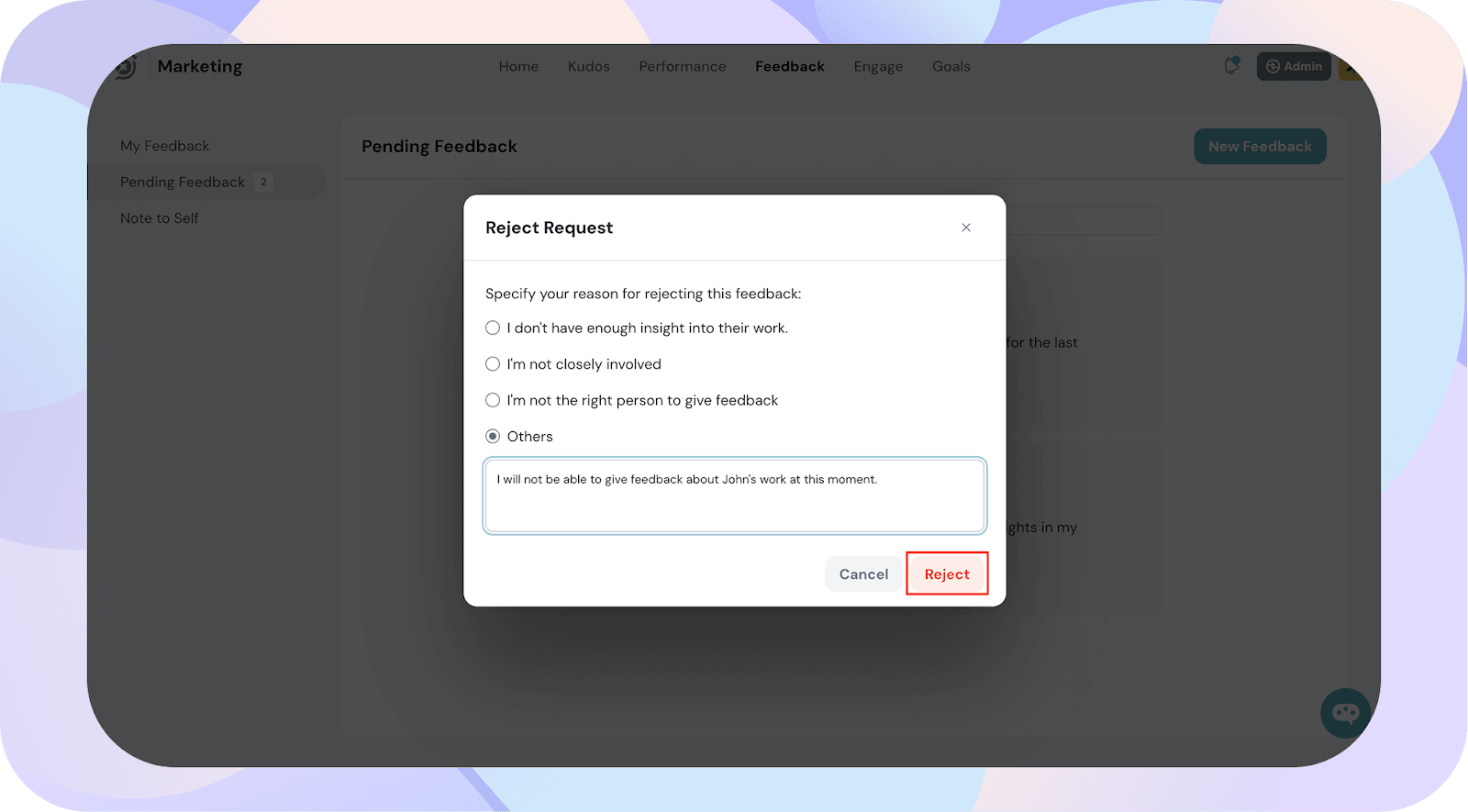
- Select one of the preset reasons provided
- Or choose Other to enter a custom reason
Click Reject to confirm. The feedback request will now be marked as rejected and removed from your pending list.