
Search

Enhance your email experience on ThriveSparrow by tailoring your communication to match your brand's identity. Follow these straightforward steps to create a unique email presence!
Navigating to Email Settings:
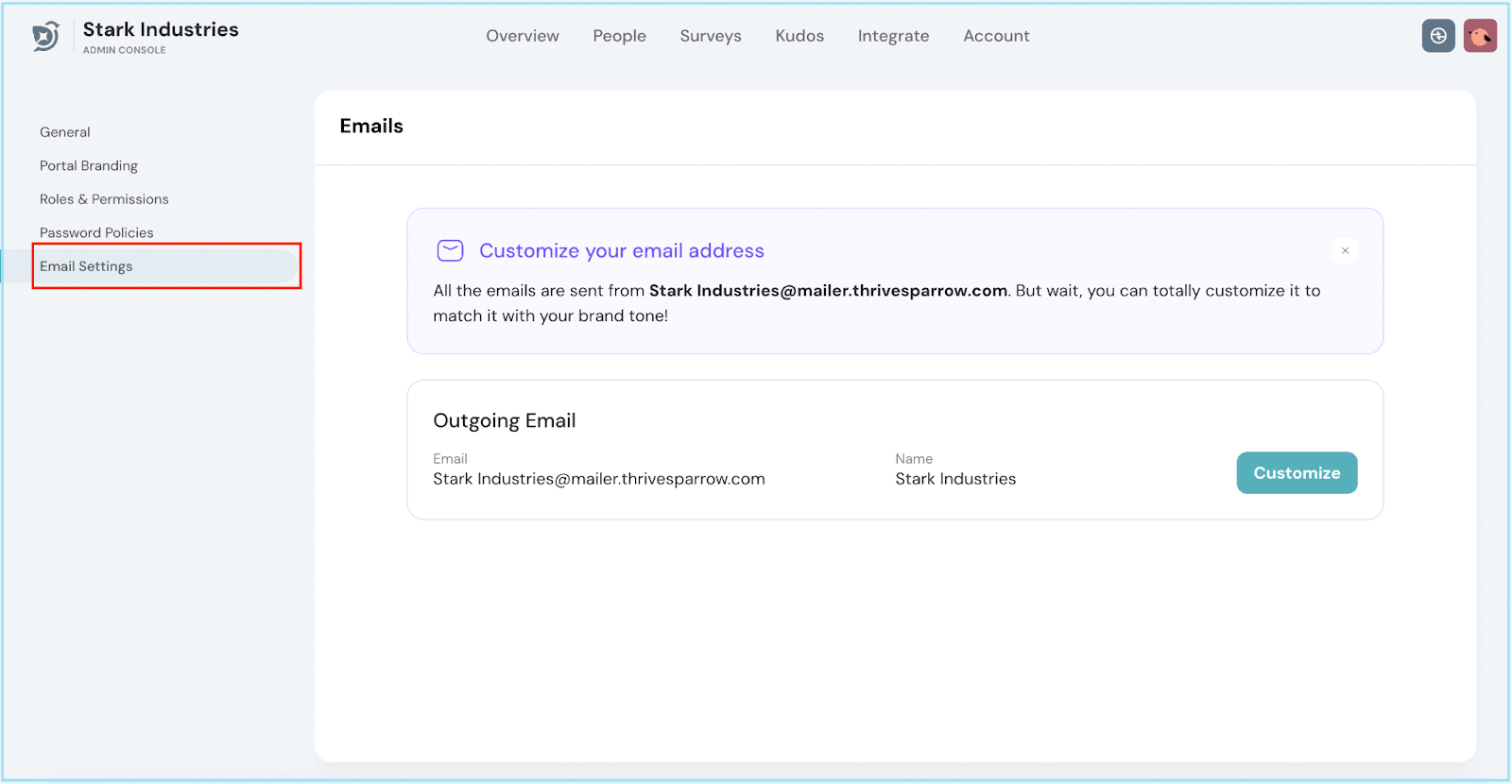
Begin by navigating to your Account through the top navigation bar. Locate and click on Email Settings.
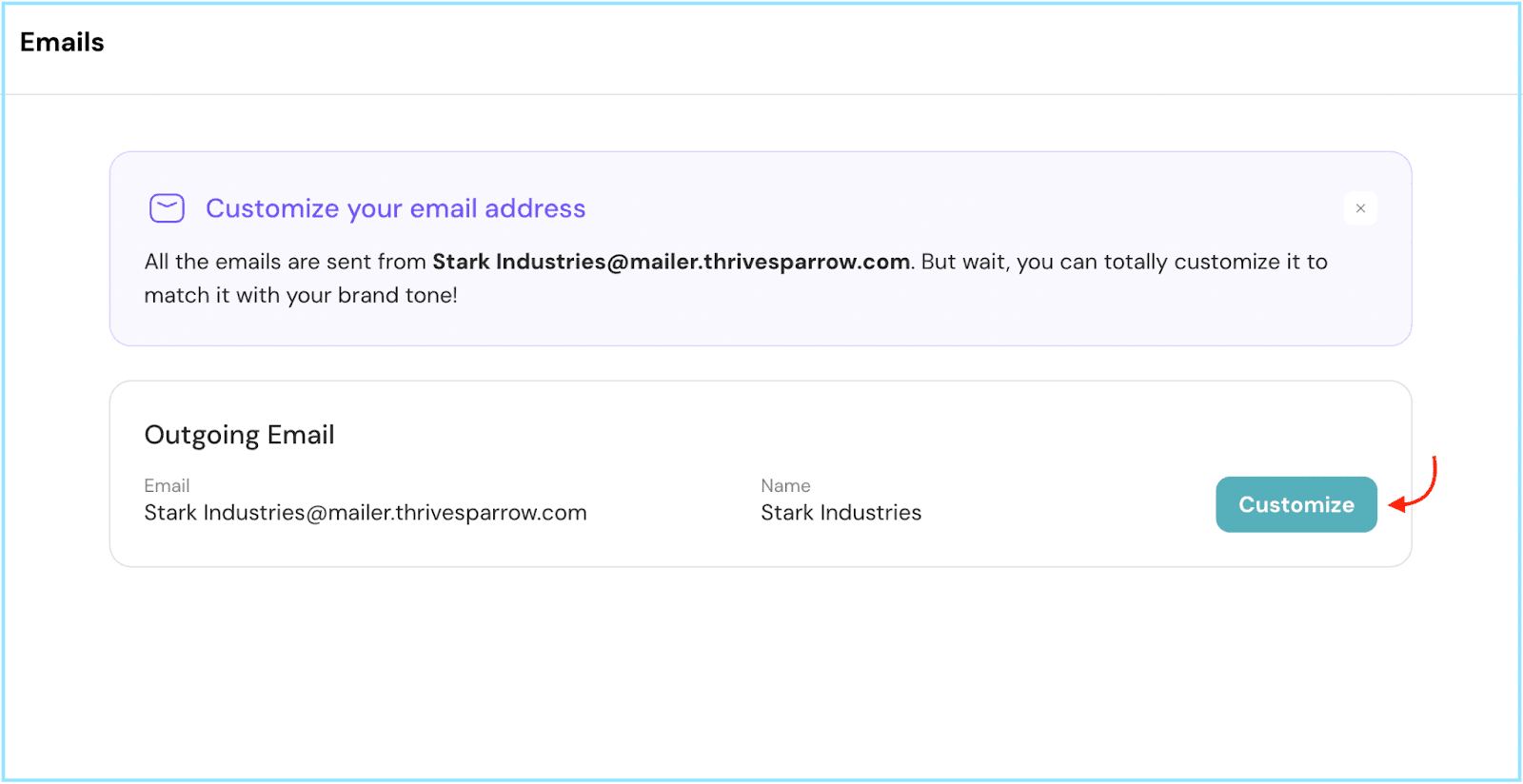
Customizing Sender Details:
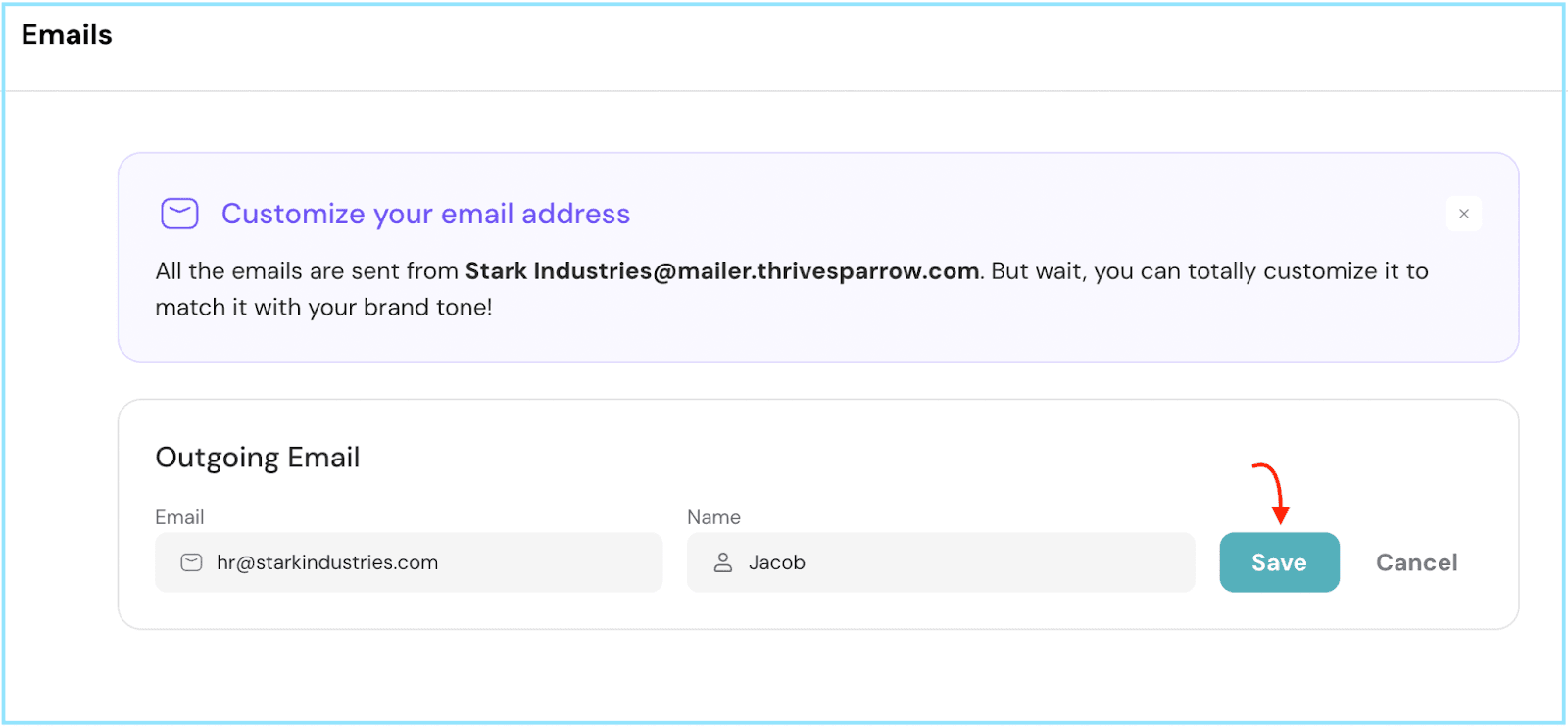
Verification:
Now, it's verification time. If domain access is an issue, connect with your IT team to verify the details. Then, click Verify Records.
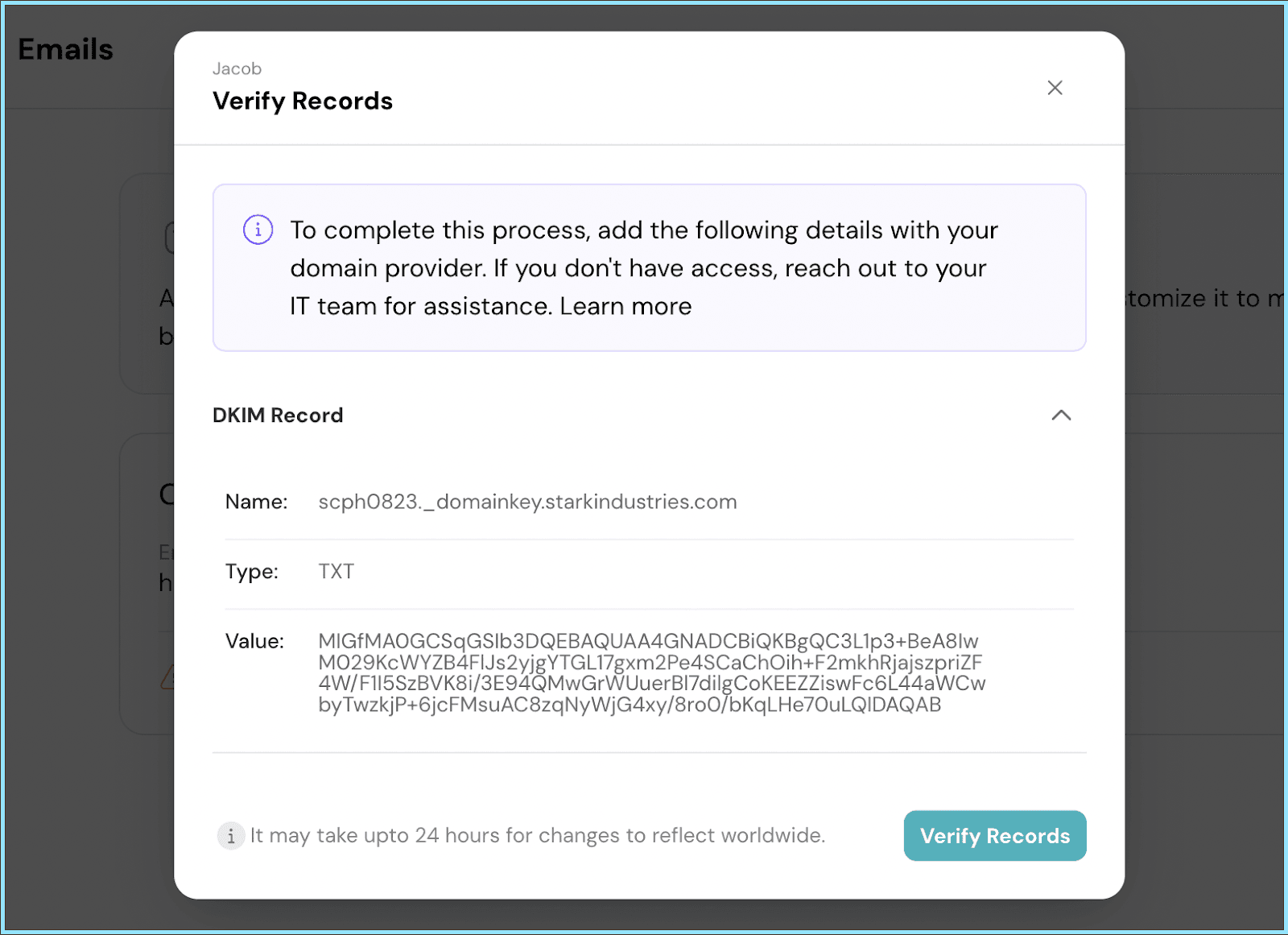
Your customized email settings might take up to 24 hours to reflect globally. Should you need any help, don't hesitate to contact our support team. Happy thriving!
Powered By SparrowDesk