
Search

So, you want to clear the sample data? No problem, let’s go through this simple process step-by-step in this article.
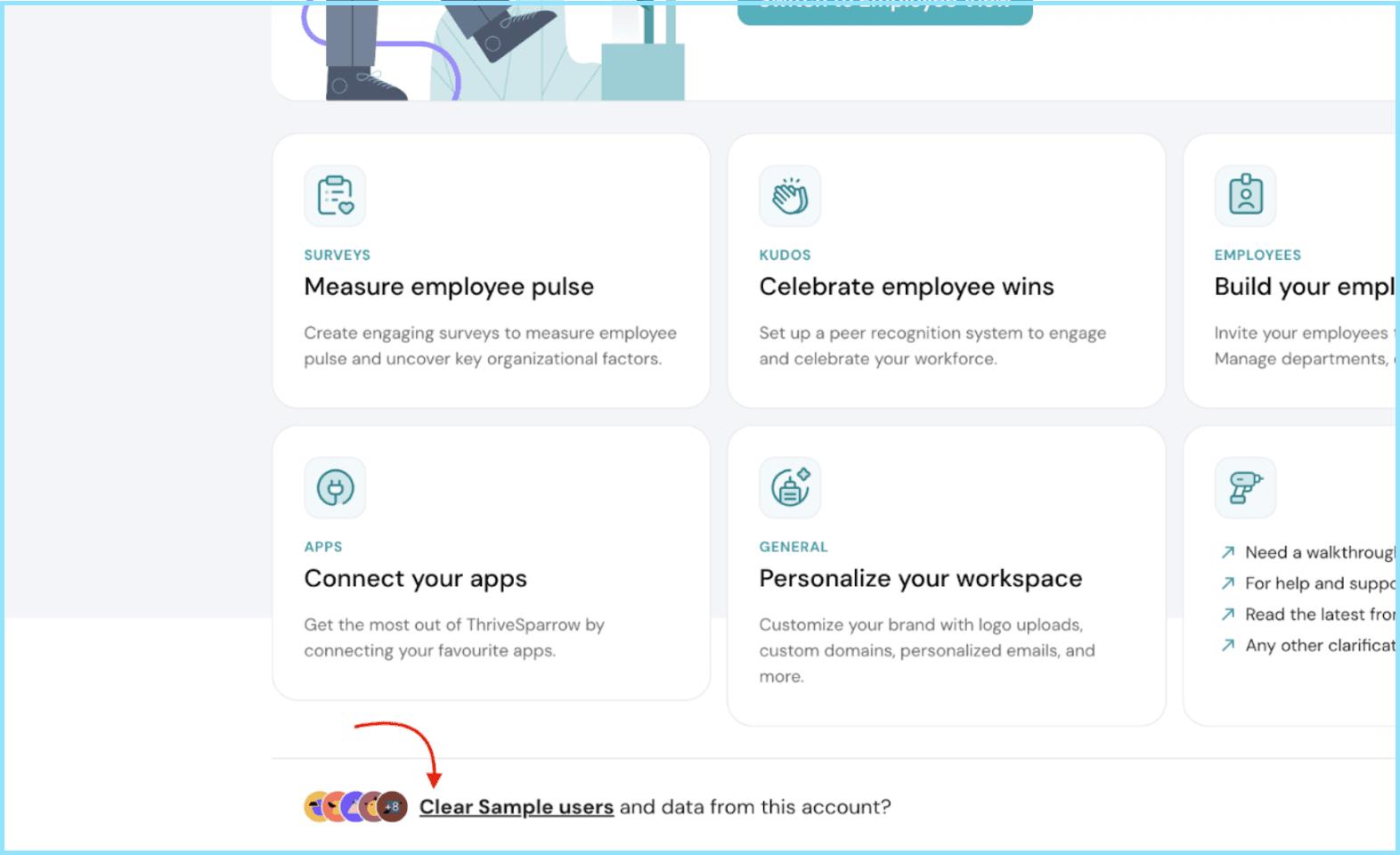
Go to the Overview page:
Login to your account and head to the Overview page of ThriveSparrow. Scroll down to find the “Clear Sample Users” link button.
Clear the sample data permanently:
Clicking on the button will trigger a confirmation pop-up. This step ensures that you are intentionally initiating the data deletion. If you are certain about removing the sample data, proceed by selecting the "Clear Permanently" option.
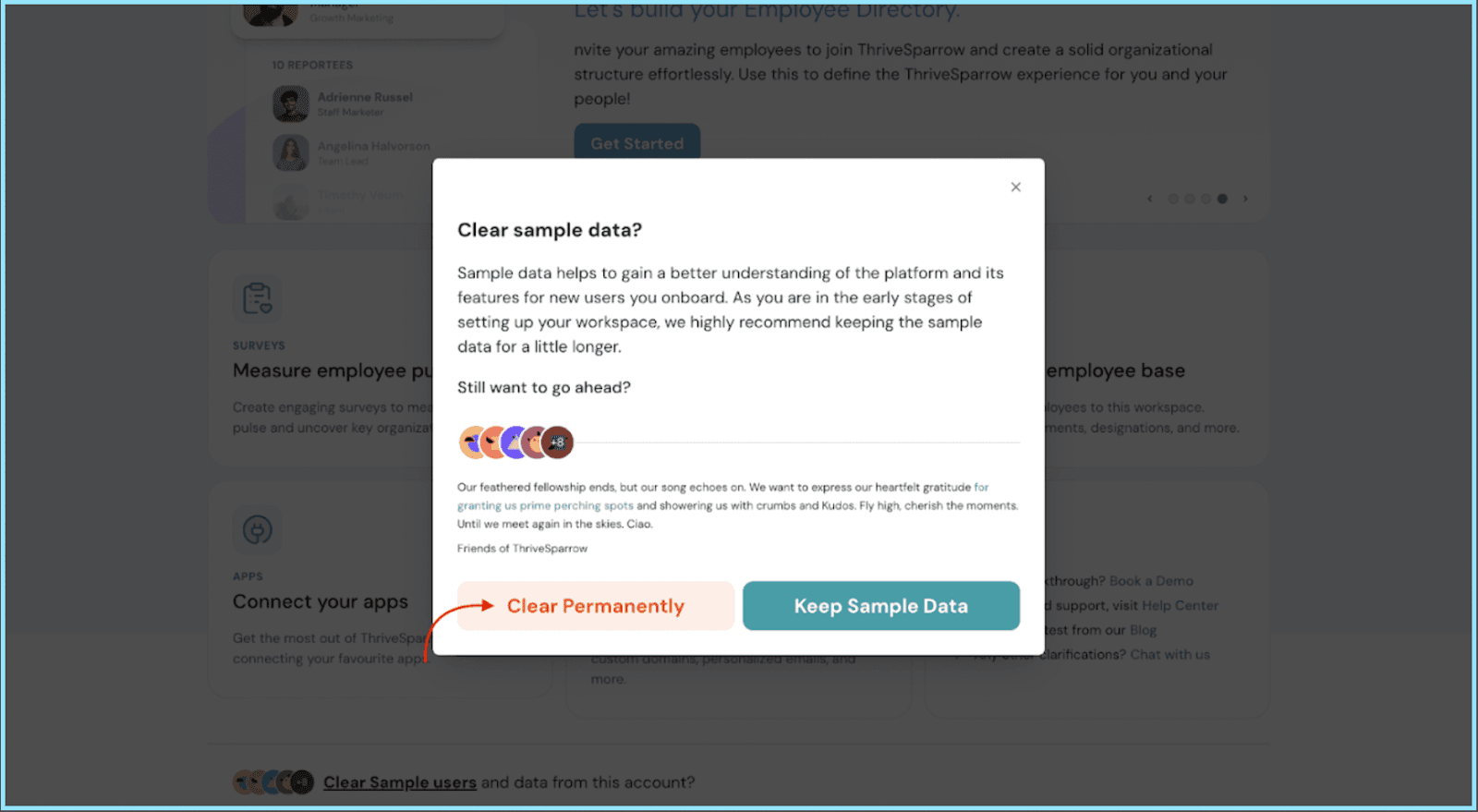
And there you have it! The sample data should be gone for good, and you'll have a clean slate to work with. Just remember, it's a one-way street, so make sure you're ready for the clear-out.
Should you need any help, don’t hesitate to contact our support team. Happy thriving!
Powered By SparrowDesk